
Download Cast app – AI Business Tool, Free Secure Subscription
Overview
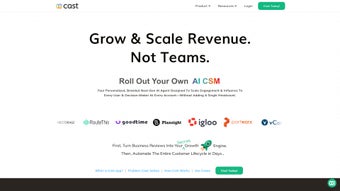
Cast app is a cloud‑native, subscription‑based business platform that brings artificial‑intelligence capabilities directly into the web browser. Launched in June 2025, the service targets small‑to‑medium enterprises, digital agencies, and remote teams that need a unified workspace for data analysis, automated reporting, and collaborative project planning. Because the application runs entirely online, there is no need for bulky installers or frequent OS‑specific patches; users simply open a modern browser, sign in, and start working.
The platform markets itself as a “secure, cross‑browser AI hub” and backs that claim with TLS 1.3 encryption, GDPR compliance, and ISO 27001 certification. Core functionalities include an AI‑driven analytics dashboard that surfaces trends and outliers in real time, a natural‑language content generator for reports, emails, and social posts, and a drag‑and‑drop automation builder that can trigger actions based on data changes or calendar events. Integration is a major selling point: native connectors exist for Google Workspace, Microsoft 365, Slack, Salesforce, HubSpot, and major cloud storage providers.
While a free 14‑day trial unlocks all core modules, continued use requires a paid subscription, with tiered pricing that scales from solo freelancers to large enterprises. The service also offers white‑labeling for premium accounts, allowing businesses to replace the Cast logo with their own branding. Overall, Cast app positions itself as a flexible, AI‑enhanced alternative to traditional desktop‑only business intelligence tools, promising reduced manual effort, faster decision‑making, and a consistent experience across Windows, macOS, Linux, Android, and iOS browsers.
Key Features and Benefits
The strength of Cast app lies in its breadth of AI‑powered features, each designed to eliminate repetitive tasks and provide actionable insights without requiring users to master complex data‑science tools. Below is a comprehensive list of the most compelling capabilities, followed by a brief explanation of how each feature adds value to everyday business workflows.
- AI‑Driven Analytics Dashboard: Real‑time visualizations automatically detect trends, outliers, and forecasting opportunities, allowing managers to react instantly to market shifts.
- Smart Content Generator: Uses advanced natural‑language processing to draft reports, press releases, email newsletters, and social‑media captions in seconds, cutting content‑creation time by up to 70 %.
- Collaborative Workspaces: Multi‑user boards with comment threads, version history, and role‑based permissions enable seamless teamwork across departments.
- Cross‑Platform Integration: Pre‑built connectors for Google Drive, OneDrive, Dropbox, Salesforce, HubSpot, and Zapier let users pull data from existing SaaS tools without manual exports.
- Automation Builder: Drag‑and‑drop interface for creating conditional workflows, such as “When monthly revenue exceeds $50k, generate a summary report and email the CFO.”
- Secure Cloud Storage: All files and AI models are stored in encrypted containers (AES‑256 at rest) with granular access controls.
- Multi‑Browser Support: Fully functional on Chrome, Firefox, Safari, Edge, Opera, and even legacy Internet Explorer 11, ensuring compatibility with older corporate hardware.
- Responsive Mobile Interface: Optimized for Android 8.0+ and iOS 13+ browsers, with progressive‑web‑app (PWA) capabilities that allow users to “install” a shortcut for offline dashboard access.
- White‑Labeling & Custom Branding: Premium plans let businesses replace Cast branding with their own logo and color scheme for a seamless client‑facing experience.
- 24/7 Support & Knowledge Base: Live chat, ticketing system, and extensive documentation reduce downtime and accelerate onboarding.
Together, these features create a unified environment where data ingestion, analysis, and distribution happen in a single, secure web portal. The AI components are continuously updated by the Cast development team, ensuring that the latest machine‑learning models are available without user intervention. This “always‑current” approach differentiates Cast from static desktop BI tools that often require costly upgrades.
Installation, Usage & Compatibility
Installation is deliberately frictionless: users simply navigate to cast.app, click “Sign Up,” and choose an authentication method (email/password, Google SSO, Microsoft Azure AD, or Okta). After email verification, an onboarding wizard guides the user through three essential steps: selecting a subscription tier, connecting external data sources, and inviting team members. Because the platform is web‑based, the wizard runs in the browser without any downloads or system changes.
Daily usage revolves around four primary modules displayed in a persistent navigation bar: Dashboard, Workspace, Automation, and Settings. The Dashboard provides a high‑level KPI snapshot refreshed every few minutes by the AI engine. Within Workspace, users create project boards, attach files, and collaborate via threaded comments. The Automation section lets users design trigger‑action sequences using a visual canvas; once saved, the workflows execute in the cloud, freeing local devices from heavy processing loads.
Compatibility is a hallmark of Cast app. The service supports the latest versions of Chrome 112+, Firefox 108+, Safari 16+, Edge 112+, and Opera 98+, as well as legacy Internet Explorer 11 for organizations that still run older intranet systems. Since the application is browser‑centric, it runs on any operating system that can launch a modern browser, including Windows 10/11, macOS 12+, Linux distributions, Chrome OS, Android 8.0+, and iOS 13+.
The platform also offers PWA capabilities: users can add a shortcut to their desktop or mobile home screen, granting quick access and limited offline functionality for previously loaded dashboards. Recommended system requirements are modest—a stable broadband connection (minimum 5 Mbps) and a device capable of running JavaScript and WebGL for chart rendering. No additional plugins or runtime environments are needed.
Pros, Cons, FAQ & Conclusion
Pros
- Zero‑install, cloud‑first approach eliminates local maintenance.
- AI analytics and content generation dramatically cut manual reporting time.
- Extensive native integrations with leading SaaS platforms.
- Cross‑browser and cross‑device compatibility, including legacy IE support.
- Strong security posture with TLS 1.3, AES‑256 at rest, GDPR and ISO 27001 compliance.
- Scalable subscription tiers suit teams of any size.
- Responsive design works flawlessly on desktop, tablet, and mobile browsers.
Cons
- Requires constant internet connectivity; offline capabilities are limited to cached dashboards.
- Advanced AI modules are only available in higher‑priced plans.
- Initial learning curve for users unfamiliar with AI‑driven automation.
- No dedicated native desktop client for Windows or macOS.
- Legacy IE support may mask performance optimizations needed for modern browsers.
Frequently Asked Questions
Is there a free version of Cast app?
Cast app provides a 14‑day free trial with full access to core features. After the trial expires, a paid subscription is required to continue using the service.
Can I export data and reports?
Yes. All dashboards, reports, and raw data can be exported in CSV, PDF, or XLSX formats directly from the Dashboard or Workspace modules.
What support options are available?
All users receive access to a comprehensive knowledge base and community forum. Paid tiers include 24/7 live chat, priority ticket handling, and dedicated account managers for enterprise plans.
How secure is my data?
Data is encrypted in transit with TLS 1.3 and at rest with AES‑256. Cast app complies with GDPR, ISO 27001, and undergoes regular third‑party security audits.
Does Cast app integrate with my existing CRM?
Yes. Native connectors are available for Salesforce, HubSpot, Zoho CRM, and other popular platforms. Custom integrations can also be built via the open API.
In conclusion, Cast app delivers a compelling blend of AI‑enhanced analytics, collaborative workspaces, and a rich integration ecosystem—all accessible through any modern web browser. Its subscription model is transparent, and the security framework meets enterprise standards, making it a solid choice for businesses that want to modernize workflows without the overhead of traditional software installations. If you’re looking for a cloud‑first, AI‑powered tool that works across Windows, macOS, Linux, Android, and iOS browsers, Cast app is worth a try. Start your free trial today, explore the AI dashboard, and experience the time‑saving benefits for yourself.



.png)



